

Automatic updates
New versions download quietly in the background and install on the next start.
Features
Everything is made for fast play: press F9, check, shoot. Here you see every part of the overlay.
The Windows app
The Windows app places the calculator right on top of ShotOnline. It always stays in front: you type the values, read percent and clicks and take your shot without ever switching windows.
For Windows 10 and 11. The download is free, to calculate you need a subscription or Lifetime.

1-Click
The calculator reads the values straight from the screen: wind and wind direction, distance, elevation, weather and temperature. You set the gauge yourself and the result is there.
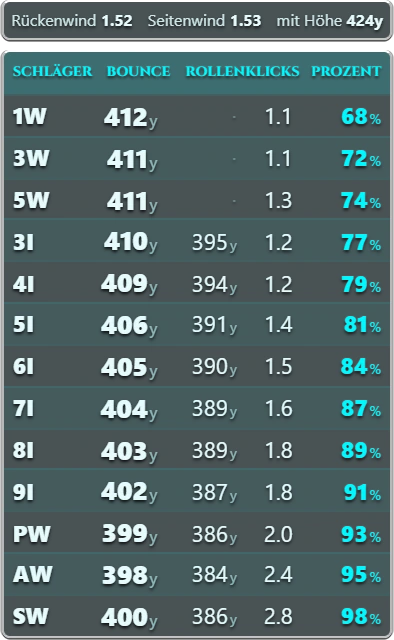
Distance list
After calculating, the list shows for every club from 1W to SW which percent and how many clicks to use, plus bounce and roll.
Manual mode
In manual mode you enter the values yourself: a large keypad, a wind rose with 16 directions and weather as separate tiles. Press Delete to start over.

Putting
Type the putt distance, adjust the green elevation with plus and minus, read the percent. The putter list shows every distance in steps of 5.
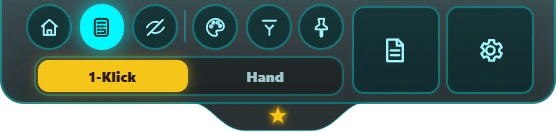
Look
Four color themes tuned to ShotOnline: GOLFSTAR, Black, Red and Green. Every part has the same frame so the overlay feels like part of the game.
Chip list and factors
For every club, enter how far you hit at 10 to 100 percent. From that, the calculator works out your percentages, tailored exactly to you.
Notes
Click a course, pick a hole, note how you play it: club, percent, spin, target.
Also
New versions download quietly in the background and install on the next start.
Installed in a few clicks, shortcut on your desktop, starts like any other program.
Bar, wind rose, weather and list sit right on top of ShotOnline, and every part can be moved freely.
Save all settings to a file in a place you choose, and load them again on a new PC.
German, English, French, Spanish, Korean and Chinese, in the shop and in the calculator.
Chip list, factors and notes stay on your PC only. No ads, no tracking.
You can switch the language at any time at the top of the page or in your account.
Less guessing, more hitting. Start now and have the calculator with you on every shot.
Get started